
A Janitor AI Alternative With Illustrated Scenes and Voices
If you use Janitor AI and want to try something different, DreamRunner.ai is an AI visual novel you play, not a chat window. Describe a story in one sentence and start. The AI writes each scene, illustrates it and voices it, and you type whatever you want to do next. It is free to start in your browser, with no download and no credit card.
We make DreamRunner. What we say about Janitor AI comes from its own website and help pages.

Character chat or a story you play
Janitor AI calls itself a platform for creators building worlds and readers seeking "living stories". You pick a character, which it calls a bot, made by someone in its community, and talk with it. Creators can add lorebooks and other scripts, and you can set up your own persona.
DreamRunner starts from a story instead of a single character. You set up a world and a cast, or pick a published community story, and play it as visual novel scenes. Who is in the room, what they wear and what each of them knows carry forward from scene to scene.
| Feature | Janitor AI | DreamRunner.ai |
|---|---|---|
| Format | Chat with characters (bots) that its community builds and shares | A visual novel you play by typing anything |
| Where you start | A large library of community-made characters | One sentence describing a story, or a story the community published |
| Memory tools | Chat memory you can edit, plus lorebook scripts | Each character keeps their own memory, and the story keeps summaries you can edit |
| Writing model | Its own model, JLLM, or third-party models you connect | More than a dozen models to pick from, with custom instructions |
| Where you play | Website, plus apps for iOS and Android | In the browser on desktop and phone |
From AI character chat to a story you play
If you are used to AI character chat, this feels familiar. You still talk to characters; they just live in a scene.
- Step 1
Describe a story.
One sentence: a setting, a situation, who you are in it. The AI builds the world, the cast and the opening scene.
- Step 2
Pick a look and voices.
Choose an art style from thousands in the community, and describe a voice for each character and the narrator.
- Step 3
Type anything, or talk.
Say a line, make a move, leave the room, or hold the mic and speak. Each scene is written, illustrated and voiced as it happens.
- Step 4
Change anything.
Rewrite a scene, redraw a picture or correct what the story remembers, at any time.
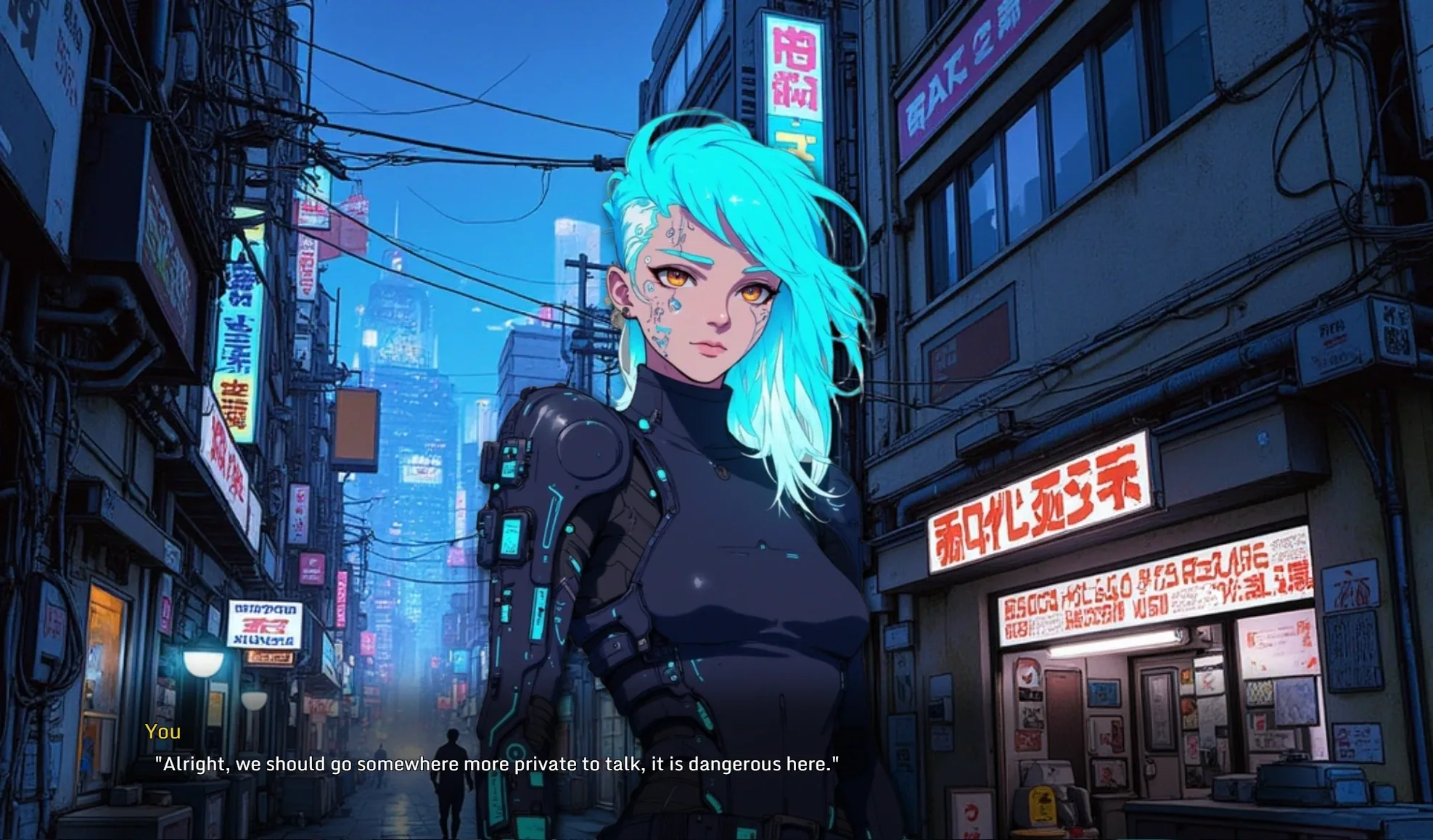
What DreamRunner does differently
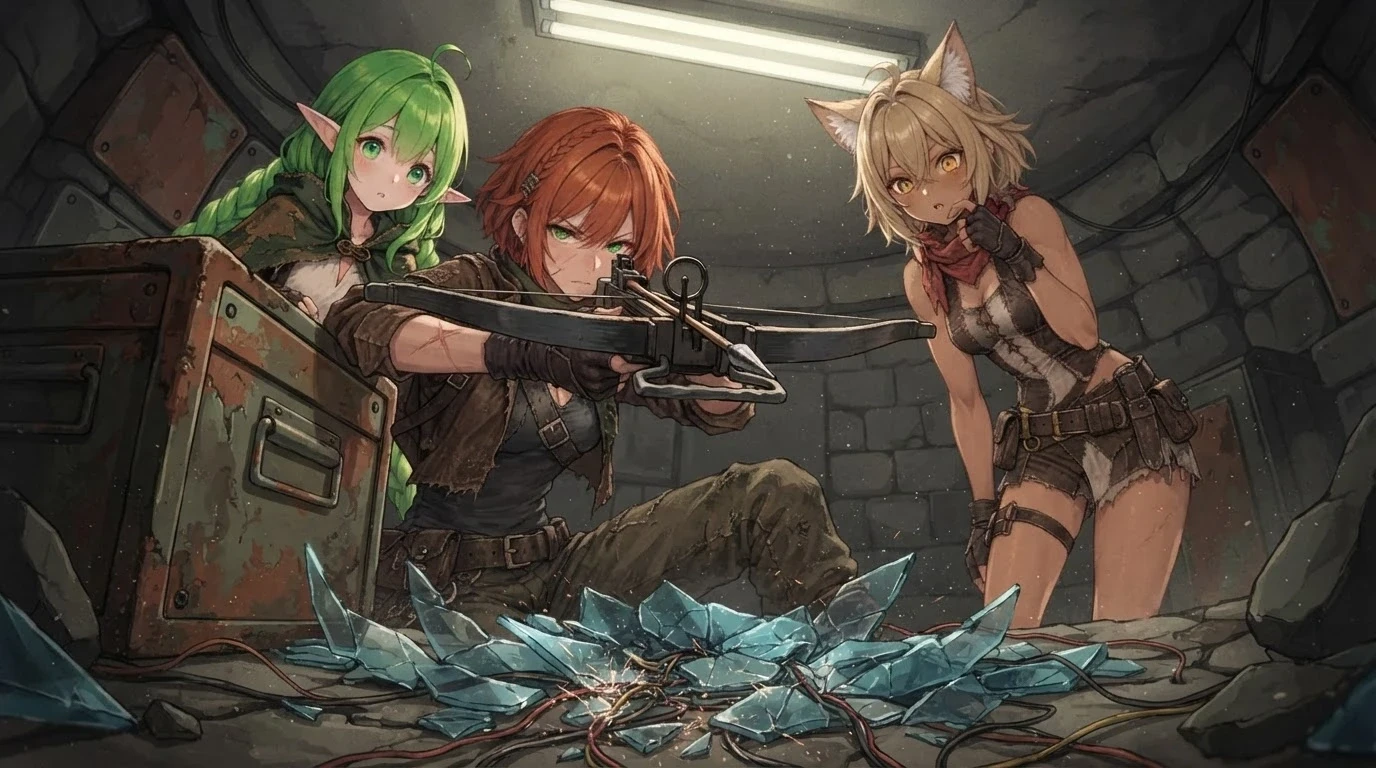
A cast that keeps separate memories. Each character keeps their own memory, written from their point of view, so one who wasn't in the room doesn't know what was said there. Characters come and go and react to each other, which keeps AI roleplay with several people in a scene coherent.
Every scene can be illustrated. Pictures are composed from the story itself: who is present, their looks and outfits, the location and your point of view. Press Depict to draw the current moment, in any community art style or your own. Characters keep a consistent look from scene to scene.
Voices you design. Describe a voice in plain language and the AI creates it. Each character and the narrator gets their own, and every line can be spoken aloud.
You pick the writer. Choose from more than a dozen text models, from providers like Google, Anthropic and DeepSeek, and give it custom instructions.
Your stories stay on your device. Stories are saved in your browser, not on our servers. Back one up as a file, move it to another device, or publish it to share.
Where Janitor AI is the better pick
Janitor AI has a much larger library of ready-made characters; its homepage counts them in the hundreds of thousands. It has apps for iOS and Android, while DreamRunner runs in the browser. Its creator tools, such as lorebook scripts and custom CSS, go deep if you like building characters for other people. And chat is quick to start: pick a character and talk. DreamRunner rewards a minute of setup, though there are community stories you can start right away.
Who DreamRunner is not for
If you want one-on-one chat with a ready-made character and nothing else, a character chat site suits you better. If you want explicit pictures, DreamRunner isn't that: images are filtered and stay non-explicit. There is no native app and no offline mode. And DreamRunner is for adults only.
Within those limits, romance and mature storylines between adult characters are supported under our content guidelines. Every character must be an adult, and anything you publish to the community is held to a stricter standard than what stays in your own browser.
Frequently asked questions
Is DreamRunner a good Janitor AI alternative? +
It is if you want your character chats to become a story, with illustrated scenes, designed voices and a cast that remembers. If you mostly want one-on-one chat with a large library of ready-made characters, Janitor AI is built for that.
Is DreamRunner free? +
Yes. The free plan gives you 100 story generations and 50 images every day on a simpler AI model. Credits unlock the premium writing and image models. No download, no credit card.
Can I bring a character I made on Janitor AI? +
You can recreate a character you wrote yourself. Describe them and the AI fills in the personality, appearance and outfits, then edit any of it by hand. You can upload your own image for a character too.
Do the characters remember what happened? +
Yes. Each character keeps their own memory, written from their point of view, and the story keeps running summaries. You can edit both whenever something important slips.
Is mature content allowed? +
DreamRunner is for adults only. Romance and mature storylines between adult characters are allowed within our content guidelines, and no character may be under 18. Images are filtered more strictly than text and stay non-explicit.
Is there a mobile app? +
There is no native app. DreamRunner runs in your phone's browser, where most players use it, and you can add it to your home screen. Stories are saved in that browser, so back them up before you clear browser data.
Try a story
Start with one sentence, or play a story the community has published. The FAQ covers credits and saving. Weighing other apps? See how AI visual novel apps compare or our Character.AI alternative write-up. Want a game master more than a companion? Try the AI RPG page.